電車ベクトル (Train Vector): The Software

Short overview

This is the software description of the 電車ベクトル (Train Vector) project (link to overview). The hardware side (link to description) isolates and prepares the motor signal, but the real decision how to light the LEDs is done in software.

Because the signal comes from a noisy H-bridge motor controller, the software has to do more than just one raw read and one if statement.

The actual Arduino sketch is here in the git subfolder: https://gitea.togo-lab.io/tgohle/0004-DenshaBekutoru/src/branch/master/firmware/ArduinoTest/DenshaBekutoru-0004_Version-0-2_ProMini_PCB2026-2_V01

In Summary

The software is the part that turns the noisy input from the hardware into a stable direction decision. It does that by:

  • averaging the analogue inputs,
  • calibrating itself at startup,
  • building a threshold from the real idle behaviour,
  • using hysteresis,
  • remembering the last valid direction,
  • driving the outputs accordingly,

Basic idea

The software reads two analogue voltages from the optocoupler output stage:

  • ADC_PIN_1 = A0
  • ADC_PIN_2 = A1

These two signals represent the processed motor direction information. If the motor is driven one way, one side will dominate. If the motor is driven the other way, than the other side will dominate. So the basic software idea is to compare both voltages and evaluate the difference:

  • diff = v1 - v2

If diff is clearly positive, the software decides for direction 1.
If diff is clearly negative, the software decides for direction 2.
If the difference is too small, the software does not change direction and simply keeps the last valid state.

That last point is the important one. It means the headlights do not start flickering just because the motor is stopped, the signal is weak, or the input is sitting in some noisy neutral area.

First step: averaging the analogue inputs

The first thing, after power on: The sketch averages the inputs over a time window. This is done in:

  • measureAveragedVoltages()

The code samples both analogue channels repeatedly over:

  • SAMPLE_WINDOW_MS = 100
  • SAMPLE_DELAY_US = 500

So instead of reacting to one random noisy measurement, the software builds an average value for both channels:

  • v1
  • v2

This is one of the most important parts of the program, because the motor signal is not clean. Without averaging, the later direction decision would be much more unstable.

Second step: calibration when nothing happens

At startup, the software assumes there is no real movement yet. That is the moment it uses to adapt itself to the actual build, controller, and wiring. This is done in:

  • calibrateVdiffThreshold()

The sketch performs multiple averaged measurements at boot:

  • AverageRepeat = 100

For each of these measurements it calculates:

  • |v1 - v2|

This gives the natural mismatch between both channels when no real direction decision should happen yet. Because even in the idle case both channels are usually not perfectly identical, the software does not assume zero. Instead, it measures the real baseline. The measured values are sorted, and then the median is taken:

  • VdiffBaseline = median(|V1-V2|)

I think this is a good choice, because the median is less sensitive to single bad spikes than a simple average. From this baseline, the code builds the real decision threshold:

  • VdiffThreshold = max(VdiffBaseline * 1.5, 0.03V)

So the threshold is:

  • adapted to the real hardware setup
  • increased by a margin
  • never allowed to go below a minimum floor

This is exactly the part that should help the board work with different train builds and different controllers without having to hard-code one fixed voltage value.

Third step: threshold and hysteresis

Once the baseline threshold is known, the software creates two limits:

  • T_hold
  • T_enter

These are derived from the calibrated threshold:

  • T_hold = 1.0 * VdiffThreshold
  • T_enter = 2.0 * VdiffThreshold

This creates a small hysteresis system. The idea is:

  • if the signal difference is very small, hold the old direction
  • if the signal difference is clearly strong, allow a direction change
  • in between, still hold the old direction

So the software does not switch direction the moment the signal only barely crosses one border. That makes the behaviour much more stable.

The state machine

The actual state machine is very simple and handled in:

  • updateDirectionFromVoltages()

mainly State machine (direction memory) + Hysteresis (Version A)

I use two thresholds:

  • T_hold (smaller): below -> treat as neutral and HOLD state
  • T_enter (larger) : above -> allow direction change (set by sign)

Behavior:

  • If |diff| = T_enter : set direction by sign
  • Else (between) : hold direction

Presets (implemented as multipliers of the calibrated VdiffThreshold):

  • T_hold = 1.0 * VdiffThreshold
  • T_enter = 2.0 * VdiffThreshold
  • Inputs derived from v1, v2: diff = v1 – v2

This means the software remembers the last valid direction and does not jump around in the weak or noisy range.

Output logic

Once the state machine has decided the direction, the outputs are updated in:

  • applyDirectionOutputs()

The output pins are:

  • LED_DIR1_PIN = 3
  • LED_DIR2_PIN = 9

The code first switches both outputs off and then activates only the matching one:

  • direction 2 -> D3 on
  • direction 3 -> D9 on

So at the moment the output stage is simple:

  • one direction = one output active
  • the other direction = the other output active

This is enough for the basic headlight function.

The sketch also includes a small startup blink sequence in:

  • initBlinkSequence()
  • blinkLED()

That is mainly useful to see directly that the board is alive after power-up.

Main loop behaviour

After setup and calibration, the loop is very simple:

  1. measure both averaged input voltages
  2. update the direction state
  3. apply the outputs
  4. print debug values to serial
  5. wait a short time

The delay at the end is:

  • delay(300)

So this is not written as a super-fast control loop. It is written as a stable and easy-to-observe detection loop, which makes sense for this kind of project stage.

Serial output for debugging

For debugging, the code can print all important values to serial output.

This is controlled by:

  • SerialOutputAllow

The function is:

  • serialPrintAll()

The output includes:

  • v1
  • v2
  • |v1-v2|
  • VdiffBaseline
  • VdiffThreshold
  • T_hold
  • T_enter
  • current direction

For development this is useful, because it makes it much easier to see why the software made a certain decision and how well the calibration worked.

Overview of the used functions

Here is a short overview of the most important functions in the sketch:

  • blinkLED()
    Small helper to blink one output LED

  • initBlinkSequence()
    Startup blink pattern to show the board is alive

  • applyDirectionOutputs()
    Switches the output pins according to the current direction state

  • measureAveragedVoltages()
    Reads both analogue inputs over a time window and calculates averaged voltages

  • sortFloatArray()
    Sort helper used during calibration

  • medianOfSortedFloatArray()
    Returns the median value from the sorted calibration data

  • calibrateVdiffThreshold()
    Measures the idle mismatch at startup and creates the calibrated threshold values

  • updateDirectionFromVoltages()
    The actual direction decision logic with hysteresis and direction memory

  • serialPrintAll()
    Prints all relevant measured and calculated values for debugging

  • setup()
    Initialises serial, pins, calibration, startup blink, first direction update

  • loop()
    Repeats measurement, state update, output update, and debugging output

電車ベクトル (Train Vector): The Hardware

Short overview

This is the HW description of the 電車ベクトル (Train Vector) project I described in this overview.

The main job of the hardware is to retrieve and process the signal direct from the motor, so that it can be used by the Arduino’s analogue input. The Arduino then does the magic and controls 4 LEDs (2 for each direction). The hardware will also have some additional features, so I can send out 2 more signals as a future option and also expose the I2C and TX/RX lines of the Arduino. There will also be a future option to control the brightness of the LEDs via PWM, controlled by a variable resistor or light (LDR). All this has to fit on a very small PCB, using the typical brick size.

The schematic is built around these main blocks:

  • input signal processing
  • Arduino Pro Mini 5V as controller, also providing the 5V needed
  • output section for the headlights
  • test circuit
  • future options
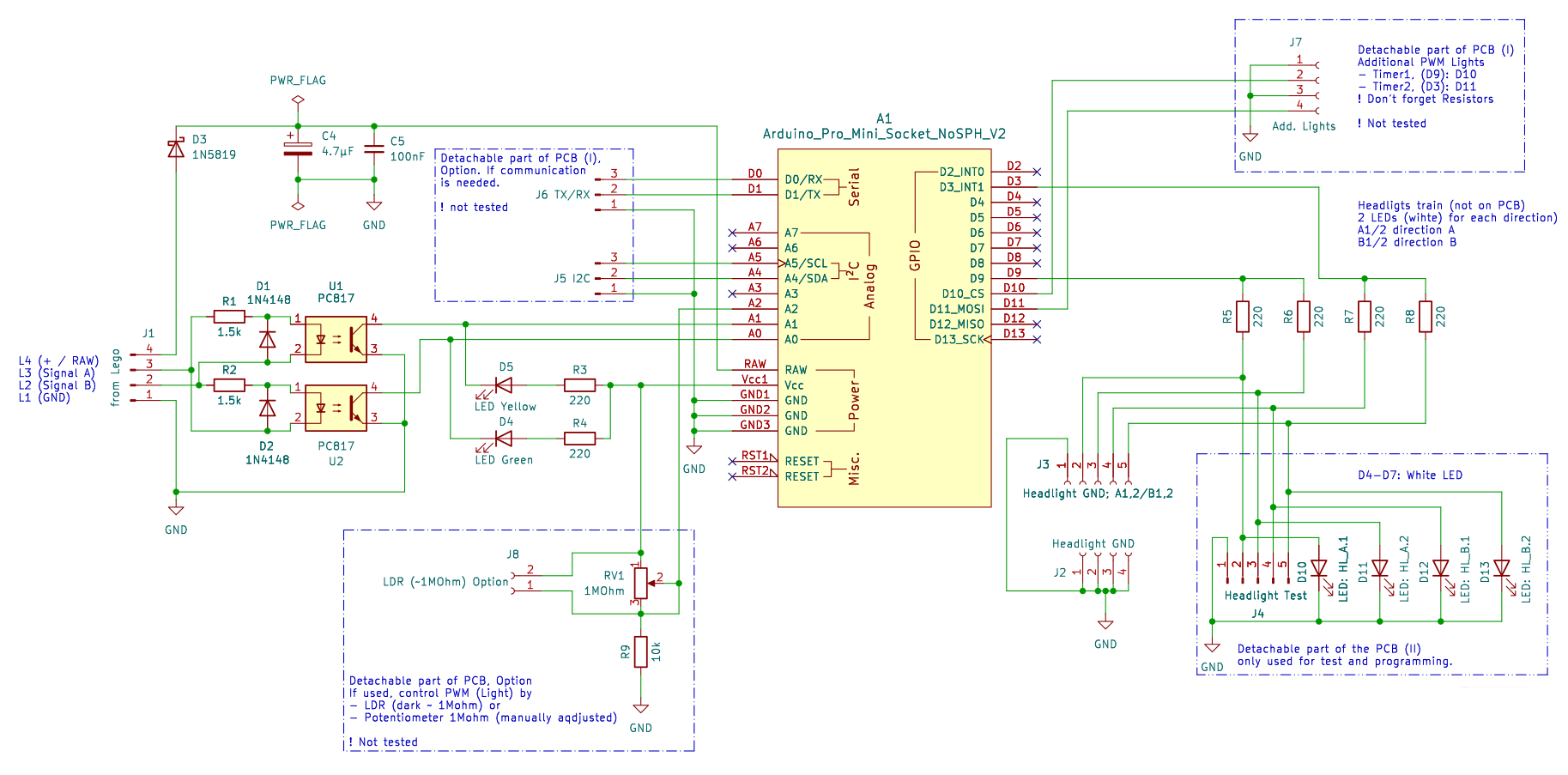
0004-DenshaBekutoru_v0.2_schematics

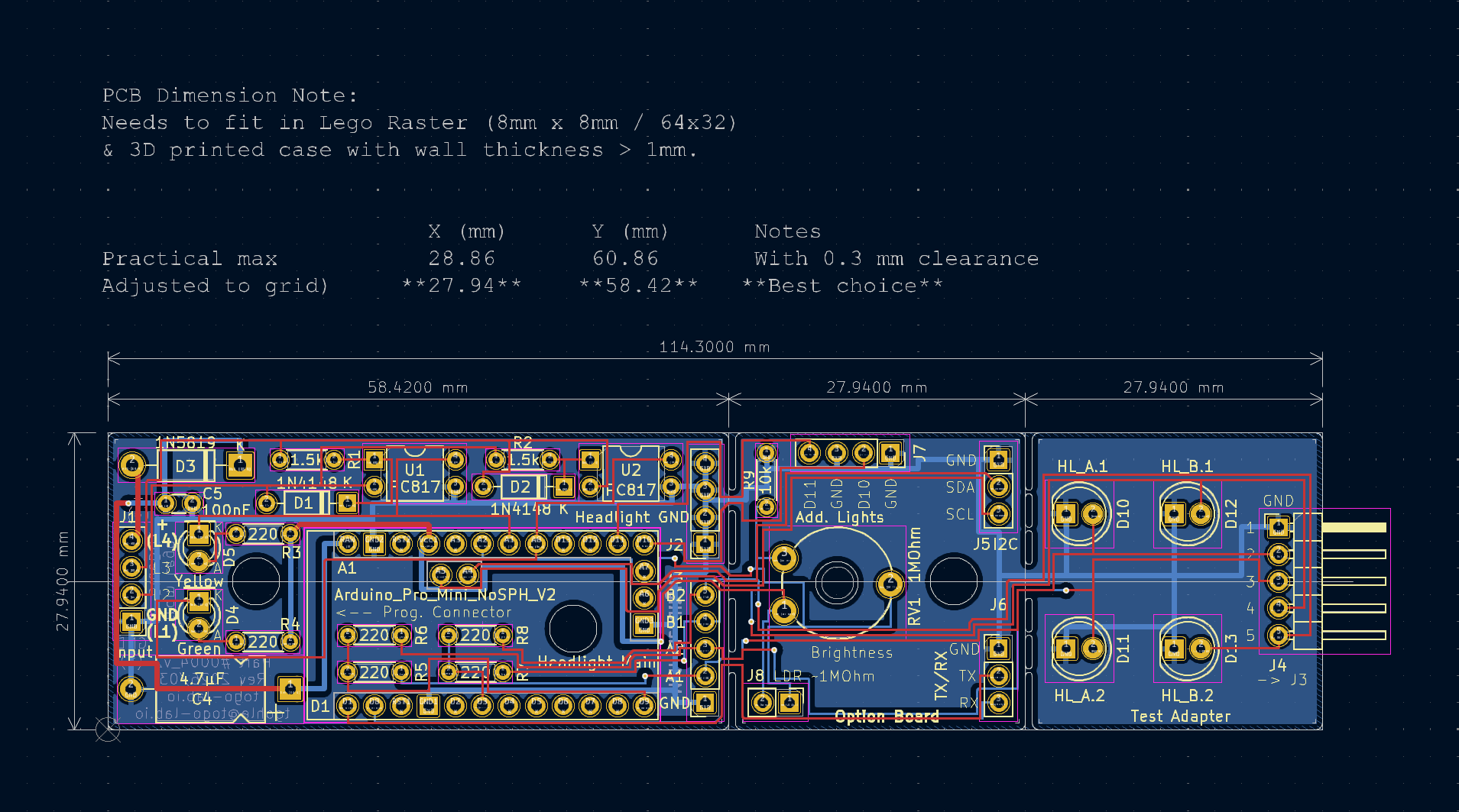
The PCB is split into 3 sections

  • signal processing and controller board / section
  • future options (light PWM and communication) section
  • test circuit section

All details, including KiCad files, you will find in the ToGo-Lab Gitea.

Input signal processing

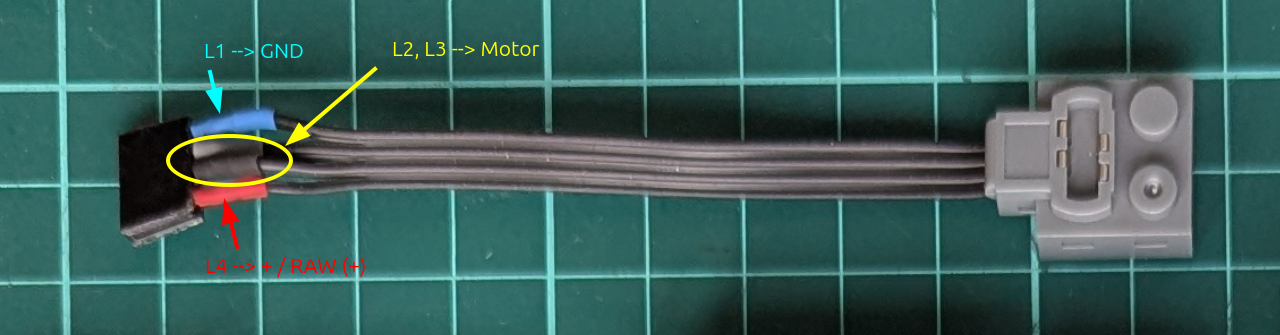
To get the signal from the brick-type motor or controller, I adapted this brick wire. In the picture you will see where the supply voltage, ground, and the motor wires are located. This connects to J1 in the schematic.

0004-DenshaBekutoru_v0.2_Connector

The input side reads the motor-related signals and prepares them for the controller. Because this is taken directly from the motor via J1, the signal is neither clean logic nor directly usable by the Arduino analogue inputs. It comes with switching noise, polarity changes, and inductive effects. Also, the voltage is too high to be properly handled later by the analogue inputs.

In the schematic, the parts doing this are: R1, R2, D1, D2 (input protection for the LEDs in the optocouplers) and U1, U2 = PC817 optocouplers.

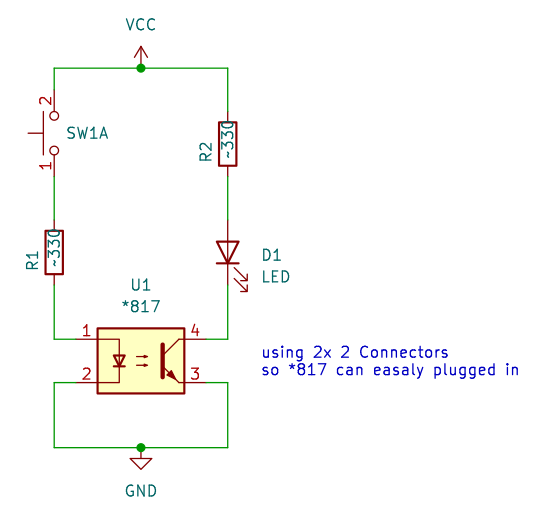
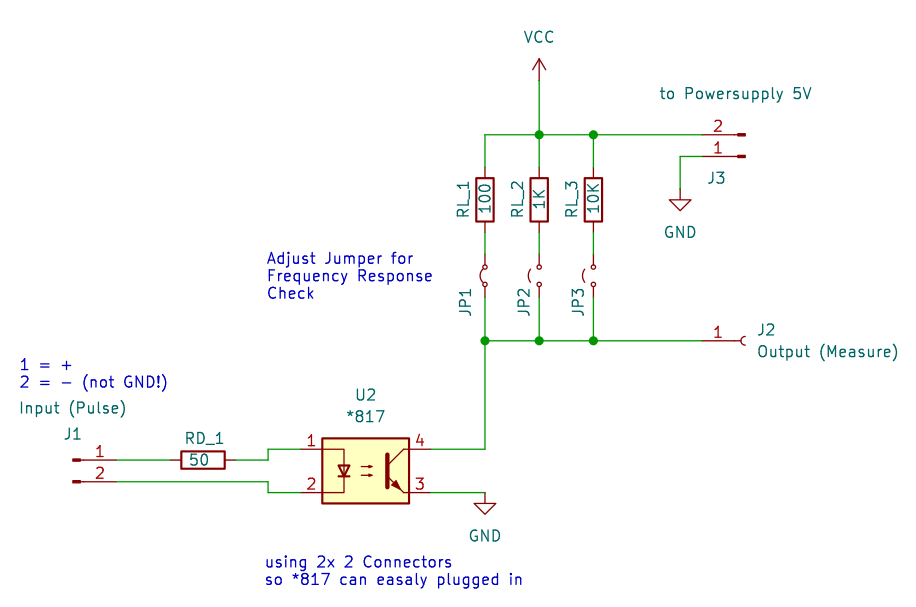
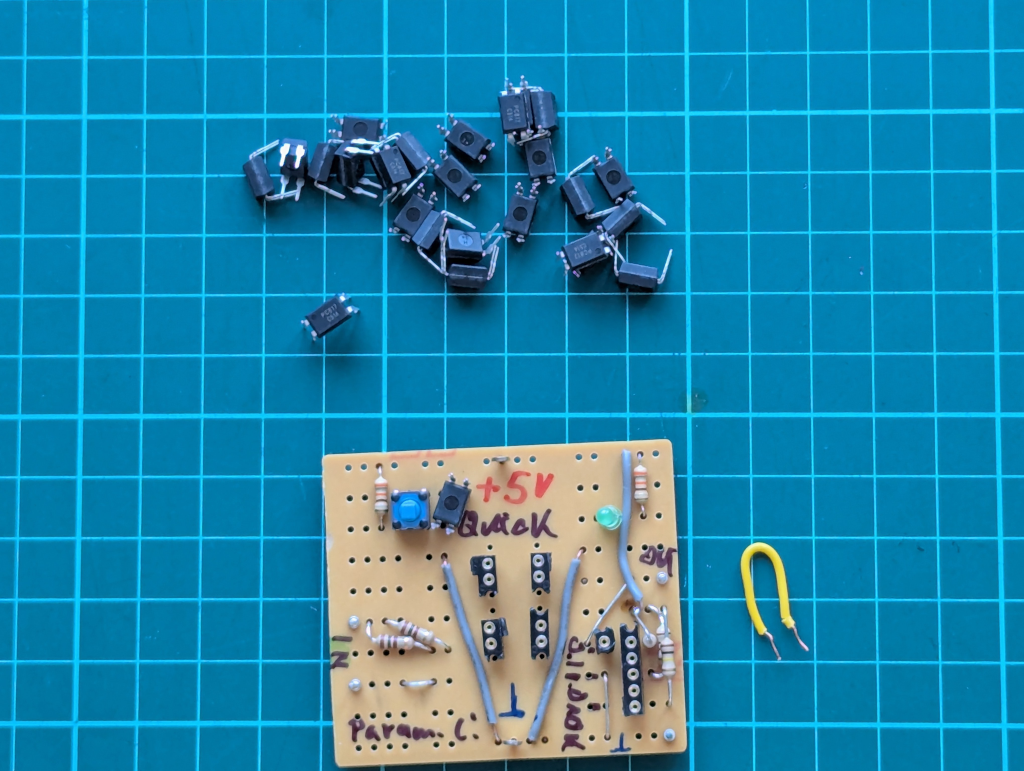
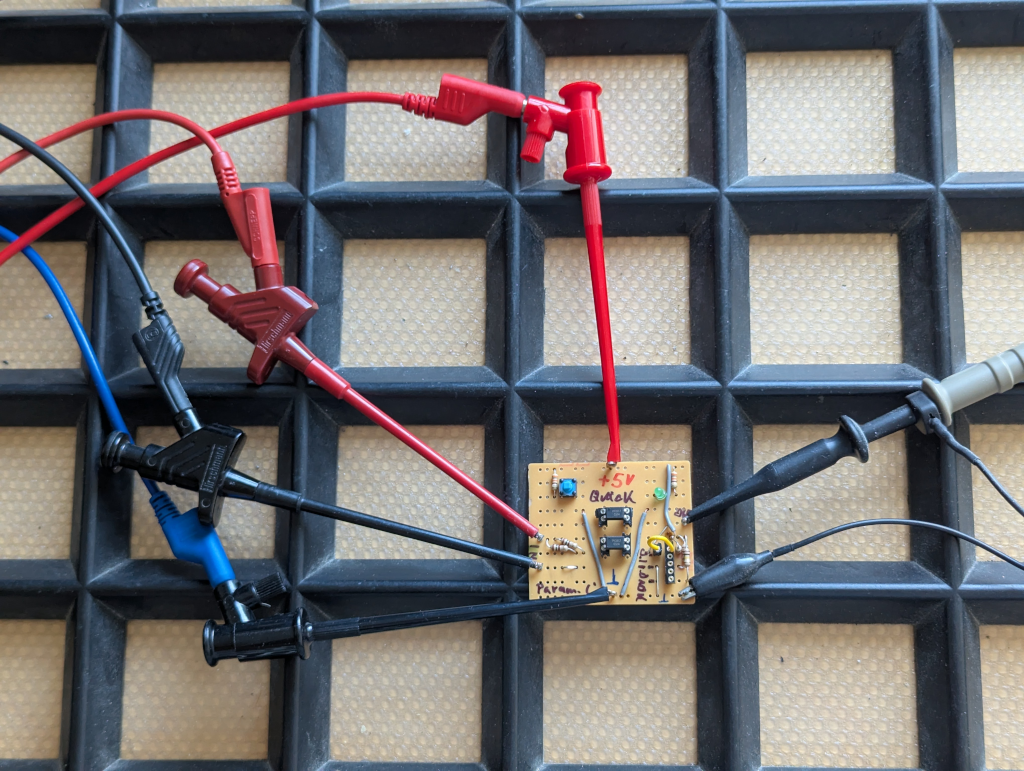
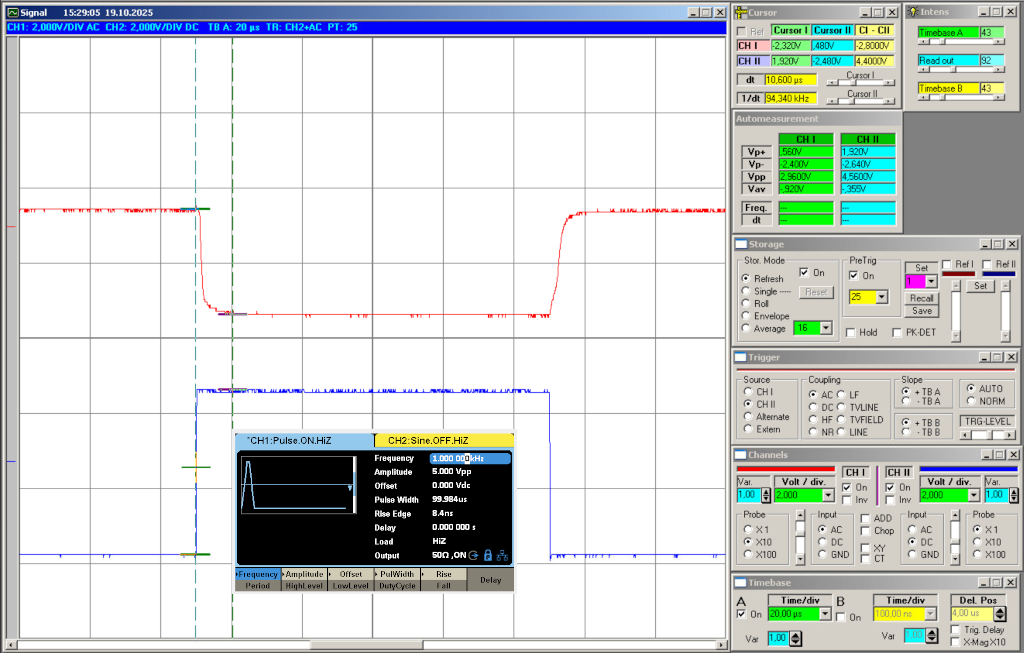
To keep the controller side safer and cleaner, I used two isolated input channels with PC817 optocouplers (that was also the reason why I built a small tester for optocouplers). These optocouplers will act as rectifiers due to the polarity change (J1-3 and J1-4).

R3 and R4 together with D4 and D5 are used for pull-up, signalling (also for debugging), and of course to deliver voltage to the phototransistor in the optocoupler.

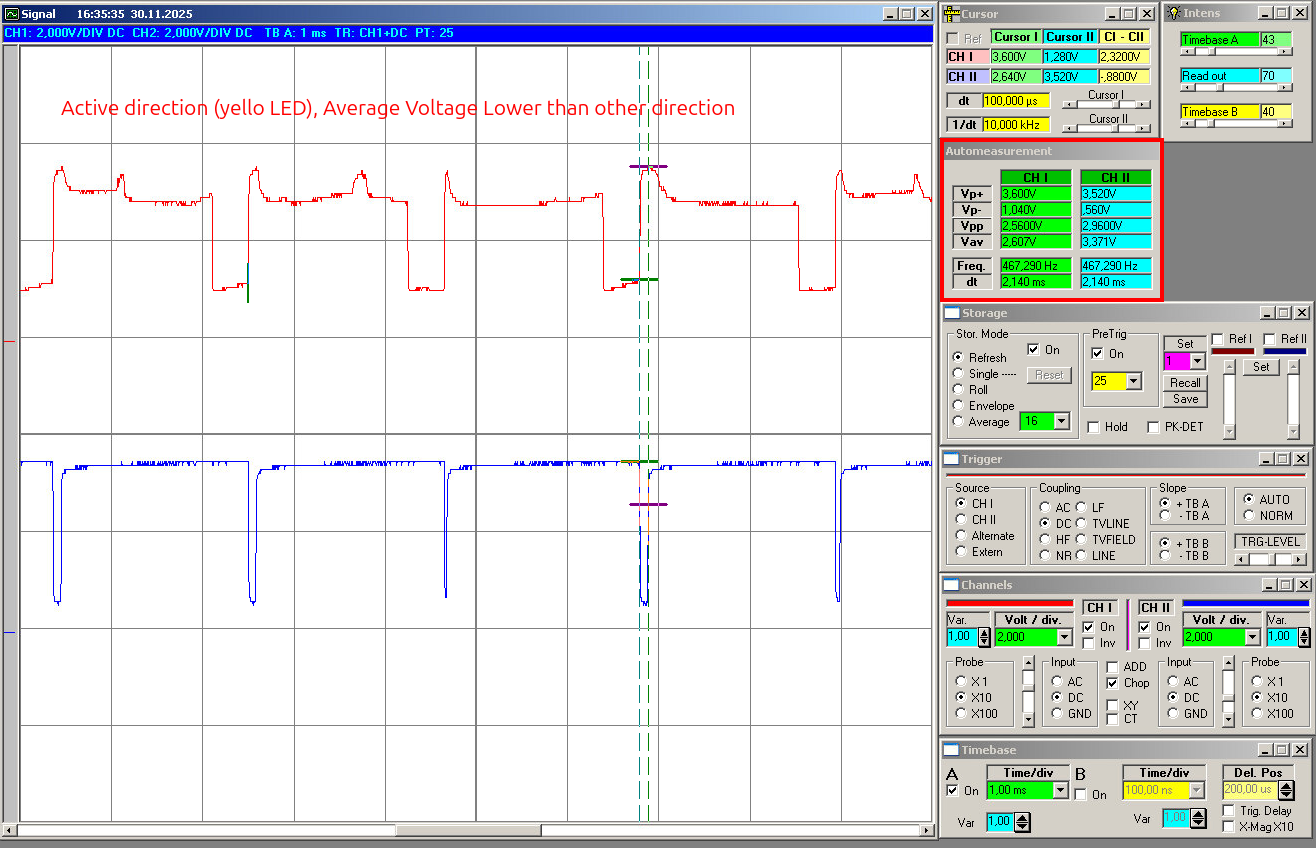
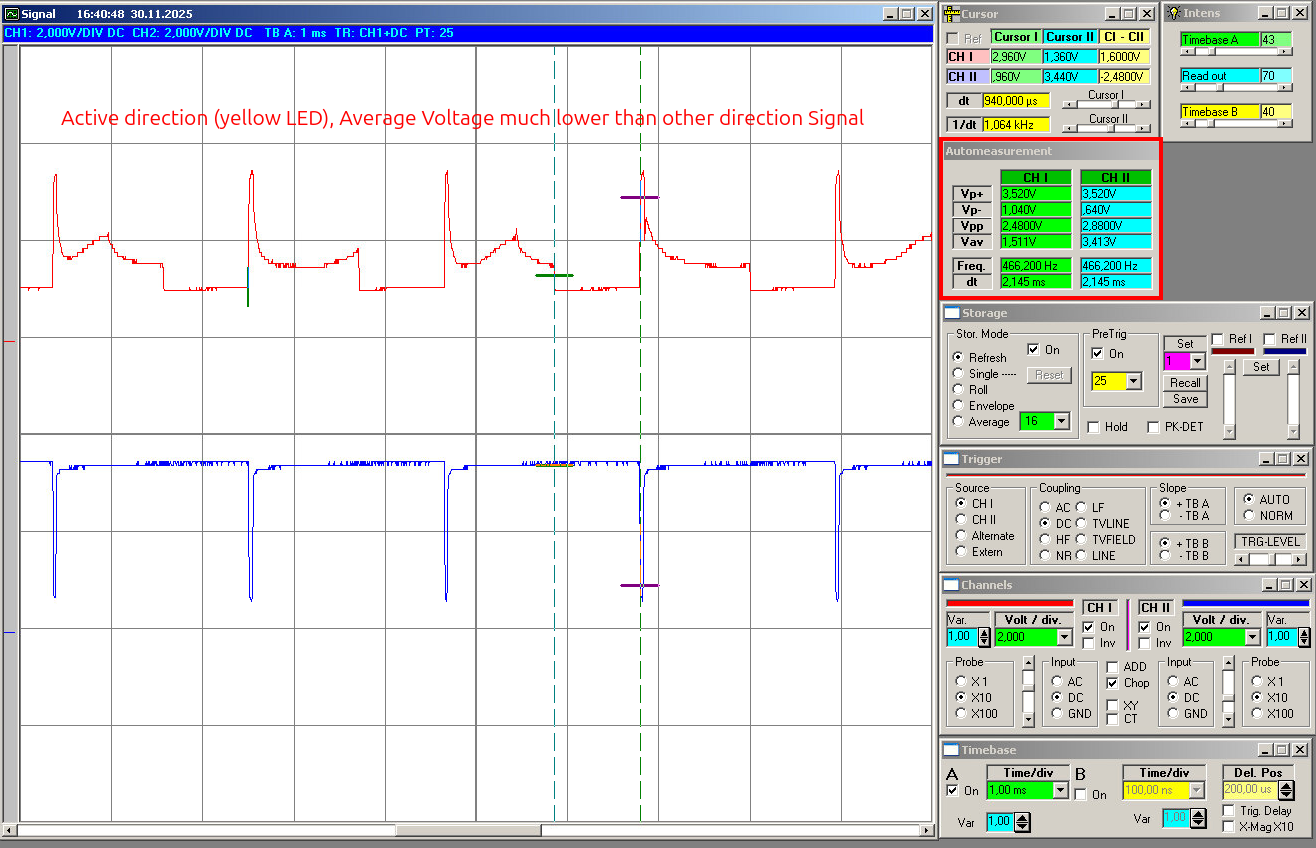
The signals will at the analoge inputs will show like this (slow, mid power, as example):

Arduino Pro Mini 5V as controller

For the controller I used an Arduino Pro Mini 5V / 16 MHz. It is small enough, I have reset logic on it, and also a power supply, so I can use the voltage directly from the remote controller. The on-board power supply will also be used to feed the optocouplers.

The Pro Mini is small, cheap, easy to replace and I understand how to program it because my programming skills are limited, I am more the HW guy, but feel free to use your own prefered µC. It is also more than powerful enough for this job and has everything needed to do analogue measurement and drive some LEDs. Another advantage is that the Pro Mini keeps the design easy to reproduce later for a DIY kit. No special programmer or unusual module is needed.

Output, future options, and test section

On the output side I used Arduino pins D3 and D9 for the two direction outputs. I used D3 and D9 because both pins support hardware PWM. The current version mainly uses them as normal outputs, but this keeps the option open for later LED dimming and other light-control functions without changing the hardware.

At the moment it is not tested; the basic function is only on/off switching of the headlights according to direction. But I wanted to keep the option open to dim the LEDs later. That could be useful for a more realistic light level, different train setups, or later expansion ideas.

Each direction drives two white LEDs in parallel, with each LED (D10, D11, D12, D13) having its own series resistor (R5, R6, R7, R8).

The future options are PWM control by resistor (RV1 and R9). You can replace RV1 with an LDR. There are also connectors for communication: I2C and TX/RX and 2 extra digital outputs to drive LEDs.

The LEDs later will be the ones in the train, so I placed the LEDs you see in the schematic on the test part of the PCB. To connect them from the mainboard I added the connectors J2 and J3.

Main PCB

The main PCB contains the complete working circuit:

  • motor-side input connection
  • isolated signal processing
  • Arduino Pro Mini socket
  • main headlight outputs
  • basic support parts

This is the board that matters. If somebody only wants the core function, this is the section that needs to work. You can detach the future options part and also the test part.

The layout was done with a small footprint in mind, because the board is intended to sit inside a brick-built locomotive, where space is always limited.

0004-DenshaBekutoru_v0.2_PCB

Additional detachable section

There is also an additional detachable PCB section. This part is not required for the core function, but it gives room for expansion without changing the main board concept too much. In the current design this includes optional extra light outputs and an option for brightness control, for example via LDR or potentiometer. This part also expose the pins for communication, I2C and TX/RX.

Test section

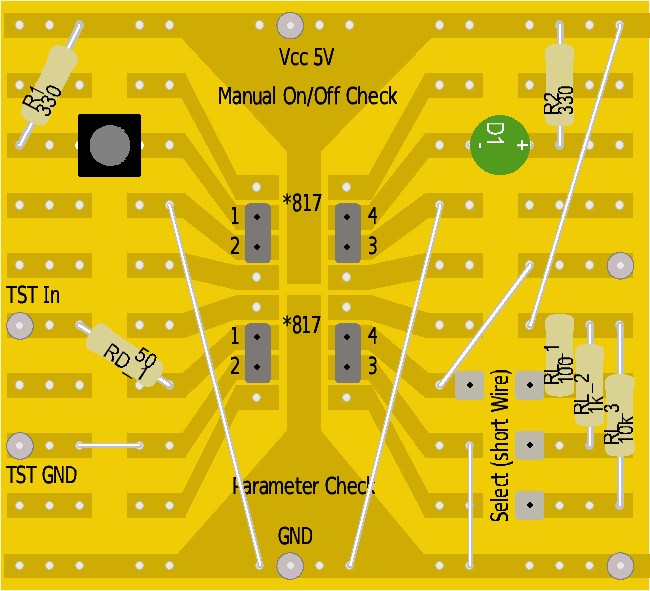
I also included a small test section on the PCB. This is simply practical. For a board like this, bring-up is much easier if basic functions can be checked directly on the board before everything is installed in a locomotive. The test section helps to verify that the direction outputs behave as expected and that the board is alive before going into real use. Before installing it, you can cut this away easily.

電車ベクトル (Train Vector): Project Overview and Current Status

What this project does

電車ベクトル (“Densha Bekutoru” / Train Vector) is a small board for LEGO, BlueBrixx, or similar locomotives built from bricks. Its job is to detect the current driving direction and switch the front and rear lights (2 white LEDs for each direction) to match.

That is the whole point of the project: the train changes direction, and the lights should follow automatically. They also stay on if the train stops; only when the direction changes do the lights switch to the correct direction.

This is Project No. 0004 for my Togo-Lab hobby / side project and the first “full-blown” one, meaning the result should be a DIY kit ready for everybody to use.

You will find the project files (schematics, PCB, controller software) in my Git: https://gitea.togo-lab.io/tgohle/0004-DenshaBekutoru

Why detecting the direction from motor input is not as simple as it sounds

In theory, it should be easy: just look at the motor polarity, add a simple state machine in hardware or software, and done. But in reality it is not that simple.

The motor in such setups is driven by an H-bridge circuit to deliver different power levels = different resulting speeds. Therefore, the signal on the motor lines is not a nice, stable DC level. You get switching effects, noise, and inductive spikes from the motor. Depending on the controller, load, and wiring, the signal can look pretty messy.

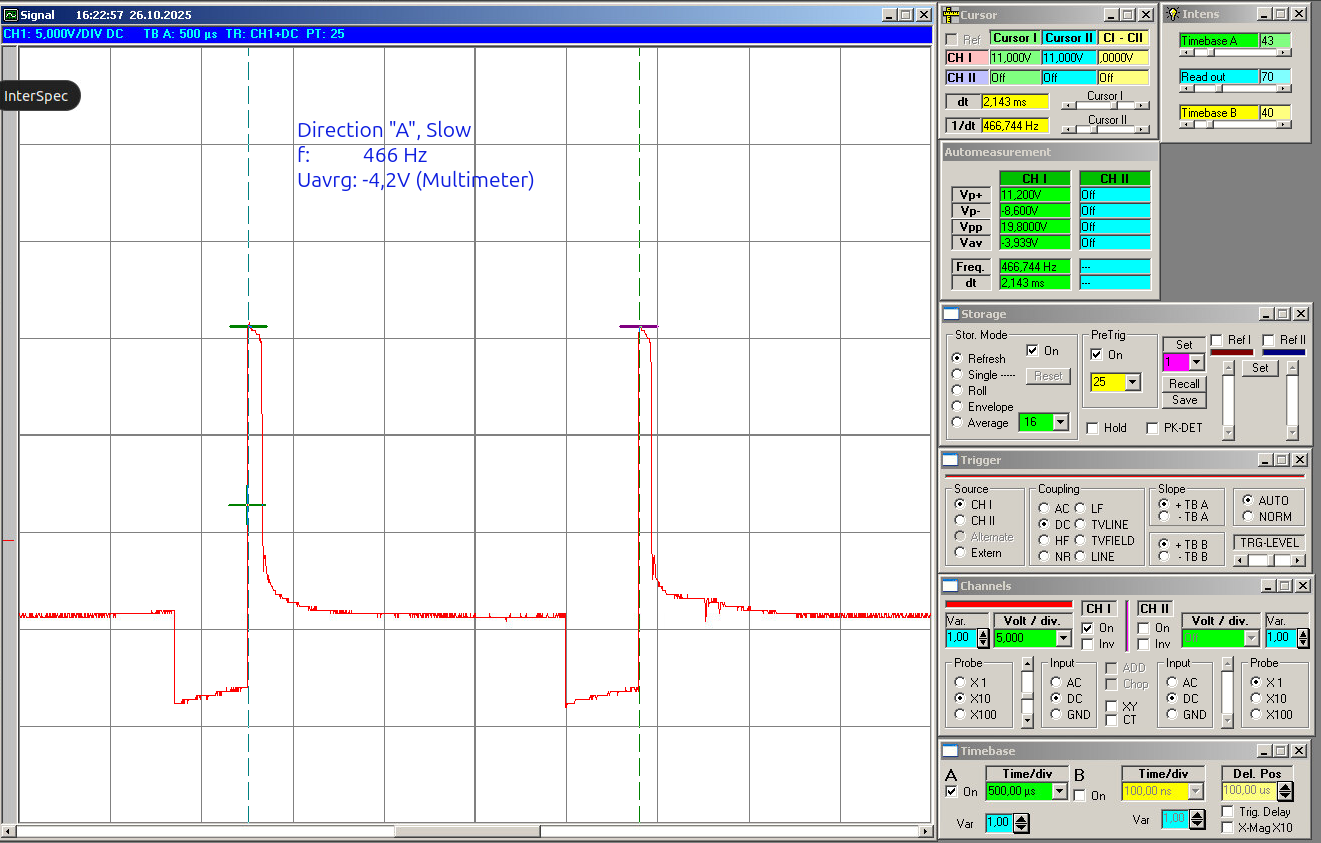
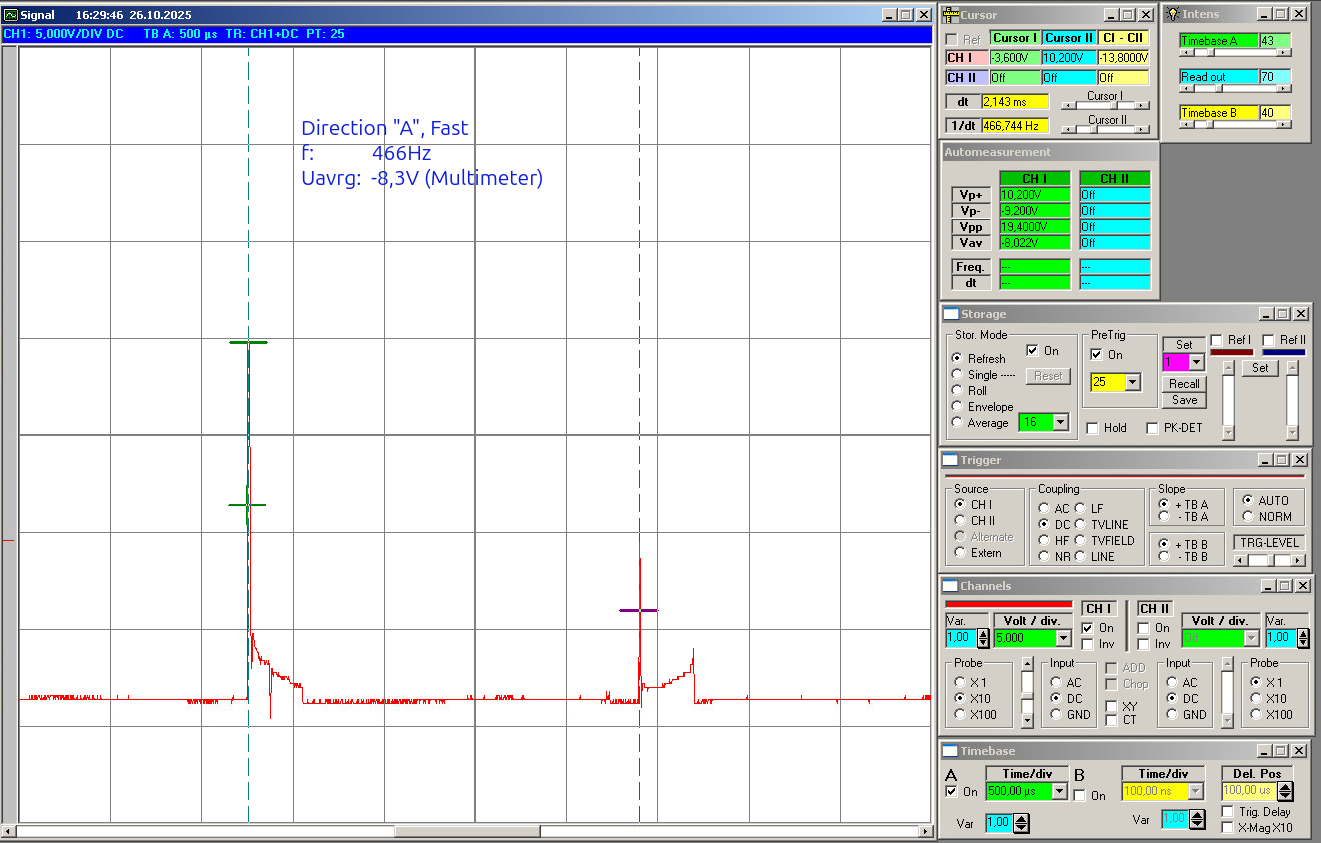
As an example, the following pictures are oscilloscope readings for one direction, let’s say direction “A”.

minimum power (slow speed):

20251026_Direction_A-Slow

maximum power (high speed):

20251026_Direction-A-Fast

You will notice the noise and, making the problem even worse, the inductive voltage, so you get reverse voltage as well. Simply installing an LED and resistor would result in flickering in each direction, with the level depending on speed. But this is of course not the right thing for a headlight.

So the challenge is not just detecting a direction once and using a state machine. The challenge is to sense the direction only from motor voltage and get rid of flickering, inductive voltages, and reactions to every little disturbance.

The current approach I use

My idea was to use two isolated input channels via optocouplers and a small controller (Arduino Pro Mini 5V type) to evaluate the motor-side signals. This should be small enough to fit the other constraint as well: the small footprint / volume, because this will be installed in the train, meaning there is very little space, and it needs to match the size of typical bricks.

On the software side, I did not go for a super simple “read once and switch” solution. The firmware works with averaging, calibration, and hysteresis so that short spikes or unstable transitions do not immediately flip the detected direction.

I hope this will make it also usable for a wide range of controllers, from low-cost Chinese controllers up to the official ones.

Current status

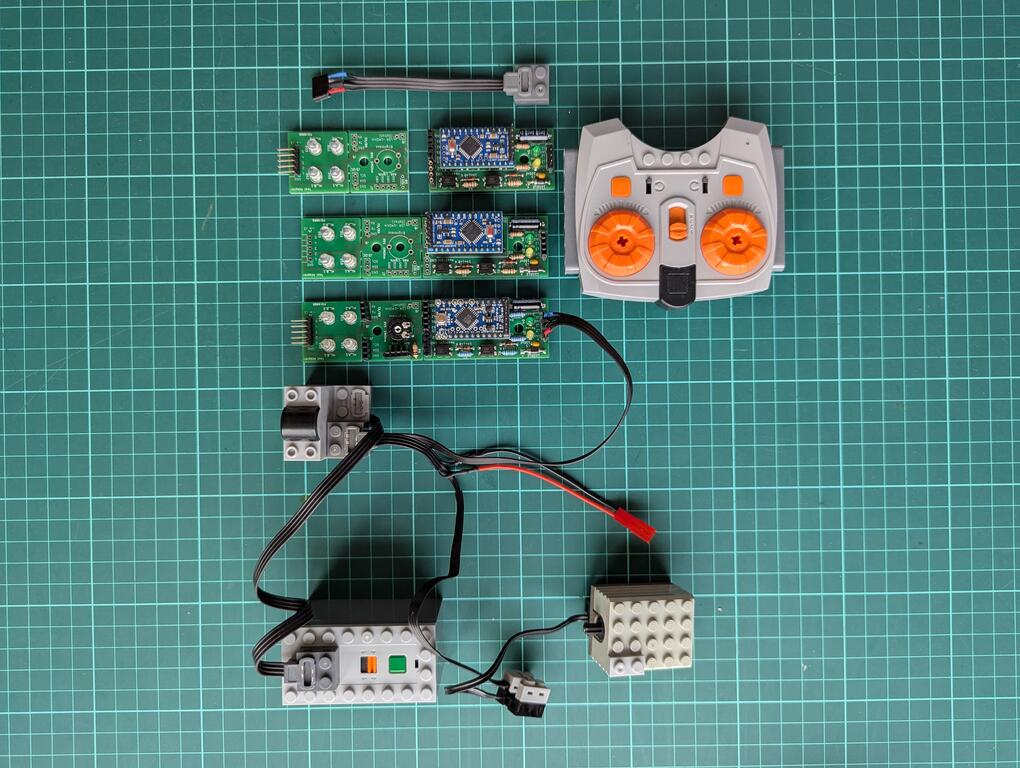
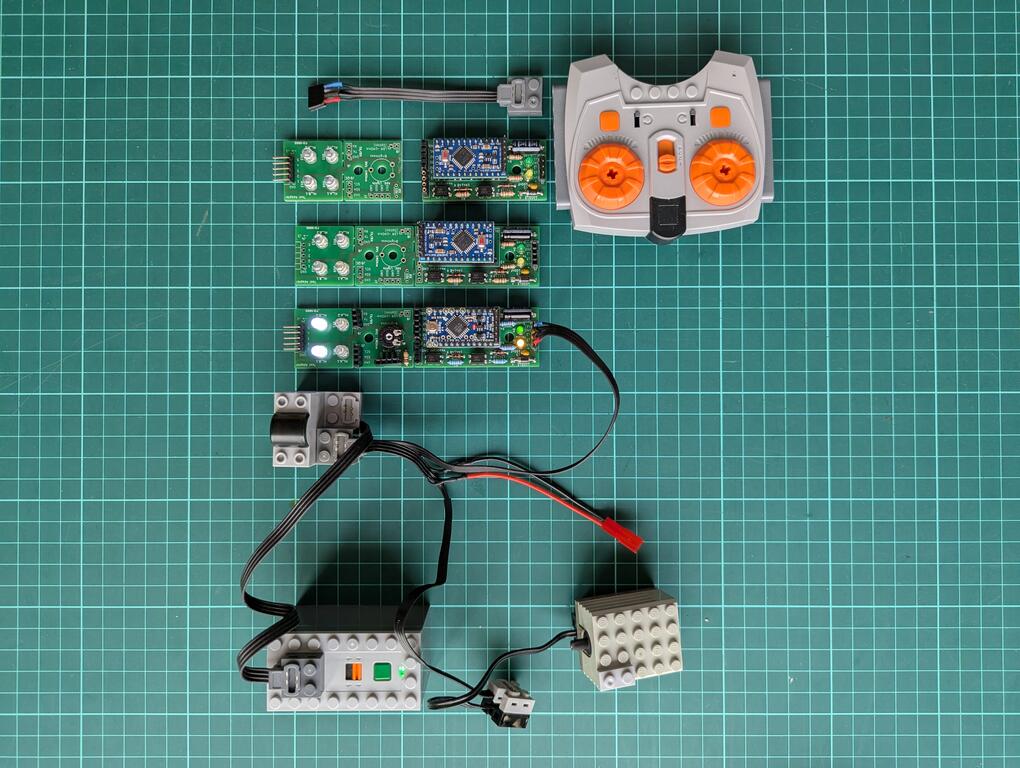
At this point in March 2026, I have a working design = hardware PCB and a working version of the software. The current version 2 (beta) hardware is built and working. Three PCBs were produced, assembled, and tested. The Arduino code was written to fit the actual HW setup, but so far it shows only the very basic function: switching lights according to direction.

I think the project is in a good beta state: real hardware exists, it works, and it is ready for practical testing. My colleague, who originally asked for this circuit for his hobby use, will show and use it in his model train club. I hope for real-life testing. This will give much better input than bench testing alone.

PXL_20260308_111601647_copy

So the current version 2 works, but it is still beta.

Related posts

In the next blog posts I will describe:

Outlook

Maybe there will be a version 3, depending on the input. I also hope that some of the club members will want this hardware as well, so I will design version 3, and this would also be the first DIY kit and the transition from beta to the first “official” version.